Big Walk Join Codes & Crossplay
Connect your party across Steam, PS5, and Switch 2 — friends lists, Join Codes, and what to check before you launch.
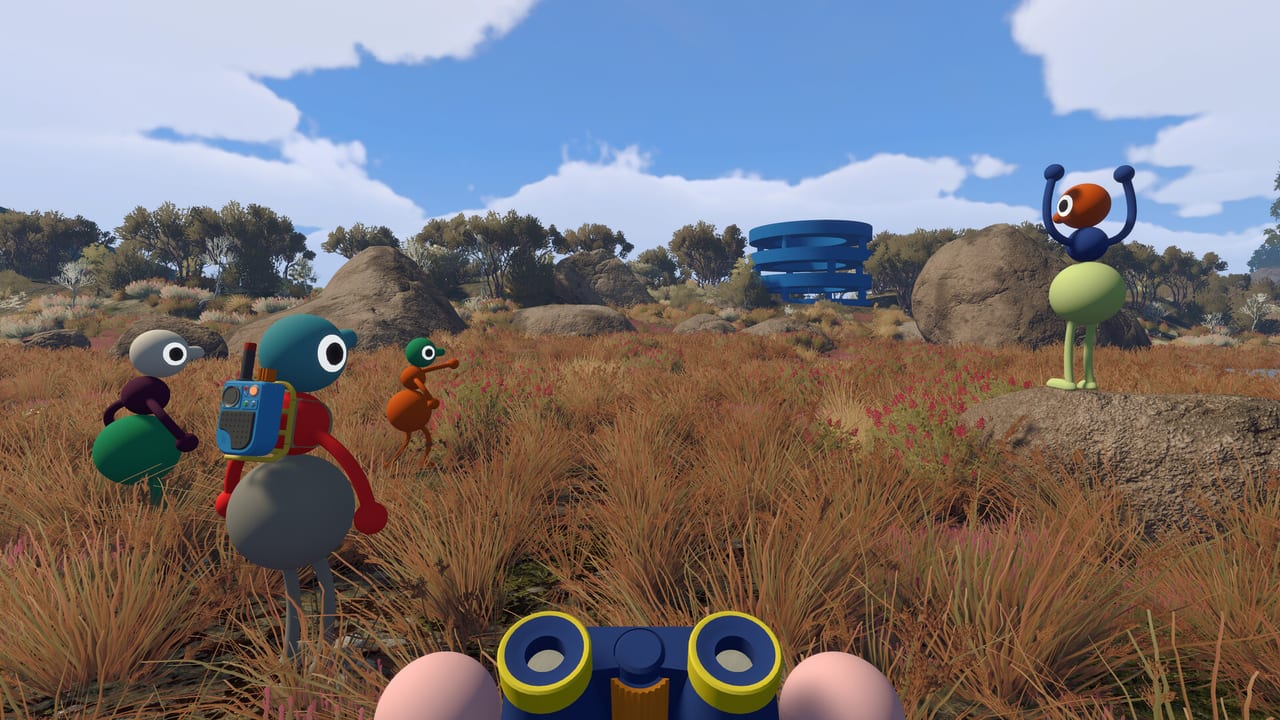
Big Walk is built for the same group of friends across many sessions, and Join Codes are the simplest way to bring mixed-platform parties together when platform friends lists are not enough. There is no public matchmaking and no solo campaign — you coordinate outside the game, pick a host, and everyone lands in the host’s world. This hub explains how codes work at launch, where crossplay fits in, and which pages to read before your first online night.
What a Join Code does
Every time the host starts or resumes a session, Big Walk generates a short, unique Join Code. The host shares that code through Discord, a group chat, or voice call; each guest opens the multiplayer menu, chooses join by code, and enters it. When the connection succeeds, you spawn in the host’s active save with whatever progress that host already unlocked — trails, tools, shortcuts, and story beats included.
Join Codes are not promo codes and they do not grant items. They are session keys. A fresh code appears when the host boots the game for a new session, so treat the latest code as the only valid one. If someone cannot connect, confirm crossplay is enabled in online settings, verify subscription requirements on console, and ask the host to restart the lobby so a new code generates.
Friends list vs Join Code
Same-platform friends who already appear on each other’s platform lists can often skip typing a code. Steam friends see Steam hosts; PlayStation Network friends see PS5 hosts; Nintendo friends see Switch 2 hosts. Cross-platform parties still rely on Join Codes because there is no universal friends graph across Steam, PSN, and Nintendo accounts.
Plan one connection method before launch night: either everyone adds the host on the same platform, or the host posts a Join Code in your group channel. Mixed groups almost always use codes. For a full platform matrix and step-by-step connection flow, read Crossplay Platforms.
Why the host matters
Progress lives on the host’s save, not on individual guest accounts. Guests join the host’s journey; when the host disconnects, the session ends for everyone. That design matches Big Walk’s intent — a long cooperative walk with the same crew — but it means you should choose a host who can start sessions reliably and whose hardware meets the group’s needs.
If your host is unavailable, you cannot resume that world on another account without starting over. Our Host Saves guide walks through picking a host, backup habits, and what guests should expect. Pair that with the Multiplayer Hub for party size, voice chat, and session etiquette.
Subscriptions and hardware checks
Crossplay connects platforms; it does not remove console online requirements. PlayStation 5 players need PS Plus for online play. Nintendo Switch 2 players need Nintendo Switch Online for online features. Steam players need a Steam account, a stable connection, and a working microphone for proximity chat — the game’s core communication layer.
Mic quality matters more here than in most co-op titles because voice fades with distance, muffles through walls, and drops entirely when you split up. Console players on Switch 2 may lean on gestures, walkie-talkies, or an external voice app when built-in chat feels limited. Full breakdown: Online Requirements.
Typical launch-night checklist
Agree on a host and timezone before anyone opens the game. The host launches first, confirms crossplay is on, and copies the Join Code to your chat. Guests finish the in-game tutorial so movement, grabbing, and arm gestures feel natural — you will need all three in the first hour. Test microphones at the menu; push-to-talk or open mic is a group preference, but headphones reduce echo for proximity voice.
Once connected, regroup near the starting map room before scattering. Big Walk’s island has no minimap compass chasing you; early coordination prevents the classic “where did everyone go?” moment. Keep the code channel pinned until everyone is in; late joiners may need a fresh code if the host restarted.
What Big Walk does not offer
There is no Xbox version at launch. Cross-progression — carrying your own save between Steam, PS5, and Switch 2 — is not supported. Join Codes only attach you to the host’s world for that session chain, not to a personal cloud save on every platform. Expect ~$19.99 on supported stores (launch discounts may apply).
There is also no random matchmaking queue. Groups of two to twelve must self-organize. That keeps sessions social but puts the burden on you to schedule players and share codes — which is exactly what this hub is for.
Where to go next
Start with Crossplay Platforms if your party mixes PC and consoles. Read Online Requirements before buying on console. If Join Codes fail, friends lists stay empty, or one device can neither host nor join, open Connection & Join Code Fixes — host loaded, versions aligned, code fresh, clock correct. New to co-op flow? Visit Multiplayer Hub and Host Saves so your group picks a sustainable host before investing hours in the island.
Connection & Join Code Fixes
Fresh codes, first-two version digits, system clock sync, Session Details passwords, Mac App Store Join-Code-only rules, and the rejoin loop after disconnects.
Frequently Asked Questions
Quick answers to the most common Big Walk questions.
Are Join Codes the same as promo codes?
No. Join Codes are temporary session keys the host shares so friends can enter that lobby. They do not unlock cosmetics or currency.
Can I join without a Join Code?
Yes if you and the host are friends on the same platform — Steam, PSN, or Nintendo — and the host appears in your in-game friends list. Mixed-platform groups should use a Join Code.
Does the Join Code change every session?
The host gets a new code when starting a fresh lobby. Always use the latest code the host posts; old codes from a closed session will not work.
How many players can one Join Code support?
Up to twelve players total in one session, including the host. Big Walk supports groups as small as two for a focused co-op run.
Do guests keep progress on their own account?
No. Only the host's save advances. Guests rejoin the host's world each session to continue the same journey together.