Proximity Chat in Big Walk
Master in-game voice and text so your hiking party stays coordinated without breaking immersion.
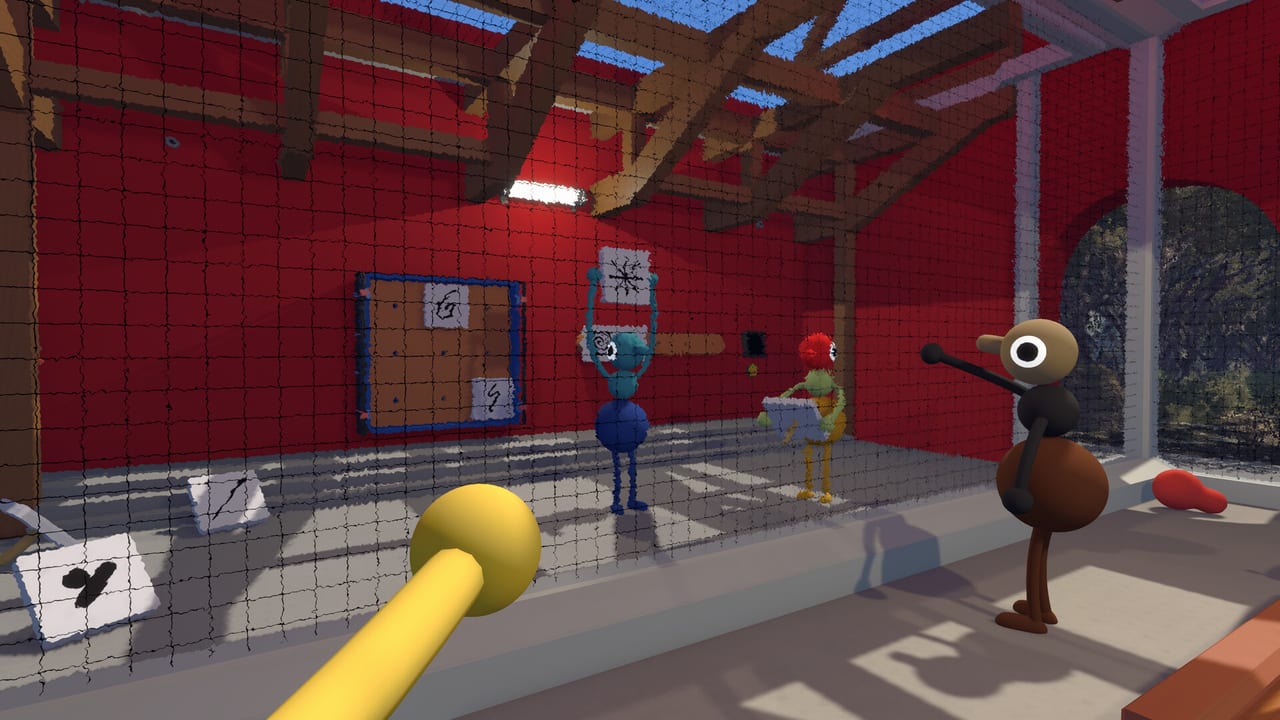
Big Walk treats communication the way other adventure games treat combat or inventory: it is a mechanic you learn, not a settings checkbox you ignore. House House and Panic built online co-op hiking around proximity voice and proximity text chat, then layered tools—walkie-talkies, megaphones, flares, laser pointers, whiteboards, and gestures—on top of that foundation. If your group defaults to Discord and wonders why puzzles feel odd or too easy, this guide explains what you are bypassing and how to play with the systems as intended.
Audio note: Version 1.4.8 quiet-mic fix
Distance falloff is intentional. Voices that remained tiny even when teammates stood next to you were a launch-week bug. House House shipped Version 1.4.8 on August 7, 2026 to level quiet microphone setups toward the intended volume —without extending how far voices travel. Read Version 1.4.8 and residual checks on Known Issues. Protect your hearing —you should not need every slider at maximum after updating.
What proximity chat means in practice
When you speak with voice chat enabled, nearby teammates hear you at full clarity. Move farther away—down a switchback, behind a ridge, into a cave—and your volume drops, muffles, or cuts out entirely depending on distance and line of sight. Text chat follows a similar philosophy: quick messages appear for players in range, reinforcing the idea that information travels physically through the world rather than through an invisible global channel.
This is not a realism gimmick. Many trail challenges require one player to describe what they see from a vantage point while others manipulate switches below. If everyone hears everything at equal volume through Discord, the game loses tension and sometimes breaks puzzle timing that assumes delayed information arrival.
Think of proximity chat as a soft limit on knowledge. Your job as a group is to overcome that limit using movement, tools, and clear callouts—not by piping audio through a third-party app that ignores distance entirely.
Voice chat versus text chat
Voice is fastest for dynamic moments: “I see a red marker on the far bridge,” or “Hold your flare until I count three.” Text suits precise information that voice garbles: coordinates-like descriptions, player names, or short instructions when background noise is high.
Recommended habits:
- Use voice for real-time coordination when players share the same ridge or can see each other.
- Use text for asynchronous notes when someone scouts ahead and others are solving a local switch panel.
- Switch to text when streaming or in noisy environments so you do not spam open mic audio into the lobby.
- Confirm receipt with a gesture or short reply—silence often means someone did not hear you, not that they disagree.
Platform note: Steam, PlayStation 5, and Nintendo Switch 2 all support crossplay lobbies, but default voice behaviors differ. PS5 parties sometimes route through system chat layers; Switch players may rely more on text if they lack headsets. At session start, run a ten-second audio check before anyone leaves the trailhead.
Tools that extend communication range
Proximity chat is the baseline. Tools modify it:
| Tool | Communication role |
|---|---|
| Walkie-talkie | Extends voice to a partner without full global chat |
| Megaphone | Projects voice farther—good for valley-to-ridge shouting |
| Flare | Visual ping for position when audio fails |
| Laser pointer | Directs attention without moving the whole group |
| Binoculars | Lets scouts gather info to relay verbally |
| Whiteboard | Shared sketches for routes or switch sequences |
| Gestures / arms | Silent confirmation when voice would echo or spoil timing |
Assign tools deliberately. A common beginner mistake is giving every player a walkie-talkie and recreating global Discord anyway. Instead, give walkie-talkies to scouts and anchors, keep megaphones for puzzle rooms with vertical separation, and reserve flares for foggy sections or night trails where line of sight collapses.
Why Discord hurts more than it helps
Discord, TeamSpeak, Xbox Party Chat, or phone calls all share one property Big Walk explicitly avoids: every player hears every player at equal volume regardless of in-game position. That sounds convenient until you encounter challenges designed around information delay.
Examples of what external voice breaks:
- Scout-and-relay puzzles where only the scout should know the pattern initially.
- Echo-prone caves where the game simulates muffled audio to encourage face-to-face repetition.
- Timed gate sequences where shouting across the map removes the need to use megaphones or flares.
- Social tension moments where half the party genuinely does not know what the other half is doing—by design.
Using Discord does not cheat in a competitive sense; Big Walk is cooperative. It does, however, flatten difficulty and undermine the comedy and confusion House House uses as creative fuel. Many groups report their best sessions happened when they disabled external voice for at least the first few hikes.
If you must use Discord—for accessibility, streaming moderation, or friends without microphones—consider a hybrid approach: Discord for lobby scheduling and accessibility accommodations, in-game proximity voice during actual puzzle segments. Mute Discord mid-challenge or use push-to-talk restricted to out-of-game chatter only.
Accessibility and inclusive comms
Not everyone can or wants to use voice chat. Big Walk offers text and visual tools so players without mics remain full contributors:
- Assign whiteboard duty to players who prefer typing diagrams.
- Use laser pointers and flares as universal signals that do not require language fluency.
- Standardize gesture meanings early: point up for “come here,” arms crossed for “wait,” jump for “confirmed.”
- For hearing-accessible groups, lean on text for critical numbers or color sequences.
Crossplay groups with mixed languages benefit from the same visual toolkit. Proximity text keeps messages local, reducing spam for players who only need one scout’s translation.
Push-to-talk, open mic, and lobby etiquette
Agree on norms before hiking:
- Open mic works for living-room sessions with quiet backgrounds.
- Push-to-talk prevents keyboard clatter and household noise from masking callouts.
- One speaker at a time during puzzle briefings—parallel monologues cause missed digits and wrong switches.
- Repeat critical info twice when elevation changes; audio falloff causes more mistakes than puzzle difficulty.
- Name the host when discussing save continuity so guests know who must return tomorrow—see Host Saves Explained.
If someone dominates conversation, rotate the “caller” role each challenge so quieter players speak up.
Troubleshooting common audio problems
| Problem | Likely fix |
|---|---|
| Cannot hear host | Check platform privacy settings; rejoin lobby; confirm crossplay voice permissions |
| Voice too quiet at distance | Move closer, equip walkie-talkie, or use megaphone |
| Voice too quiet even when close | Confirm 1.4.8+ on every client —see Version 1.4.8 and Known Issues; headphones + careful voice sliders |
| Echo or doubling | Disable Discord mirroring game audio; use headphones |
| Text not appearing | Verify proximity—you may be too far from intended recipient |
| Switch 2 player silent | Confirm headset plugged into correct jack; test system mic outside game |
Persistent issues on PS5 often trace to PS Plus online permissions or blocked platform voice—both required for multiplayer sessions.
Pairing comms with puzzle strategy
Once proximity chat clicks, revisit Challenges & Puzzles with new habits. Scouts describe; anchors execute; the group repeats information aloud before flipping switches. That loop mirrors how House House expects Big Walk to feel: a hiking trip where stories happen because someone misheard directions, not despite it.
New players should still read Getting Started for install and first-hour basics. Shoppers wondering if the social design fits their friend group can check the Review for a broader take on whether proximity-first co-op is worth the purchase.
Proximity chat is the spine of Big Walk. Treat it as seriously as you would stamina management in a survival game, and the mountains become collaborative instead of chaotic.
Frequently Asked Questions
Quick answers to the most common Big Walk questions.
Does Big Walk have global voice chat?
No. Voice is proximity-based by default. Walkie-talkies and megaphones extend range but still follow in-game rules rather than full-map Discord-style chat.
Should our group use Discord while playing?
The developers designed puzzles around in-game proximity audio. External voice is optional but can simplify challenges in unintended ways. Many groups prefer in-game comms for actual hiking.
Can I play without a microphone?
Yes. Use proximity text chat, whiteboards, laser pointers, flares, and gestures to coordinate. Assign roles that do not require voice.
Does proximity text work in crossplay lobbies?
Yes. Text chat respects proximity across Steam, PS5, and Switch 2 sessions the same way voice does.
What if someone has loud background noise?
Ask them to switch to push-to-talk or text for critical callouts. Hosts can also suggest headset use before starting a puzzle-heavy trail.