Big Walk Hosting a Session
Own the save, share the code, and keep twelve friends moving without losing an evening to lobby bugs.
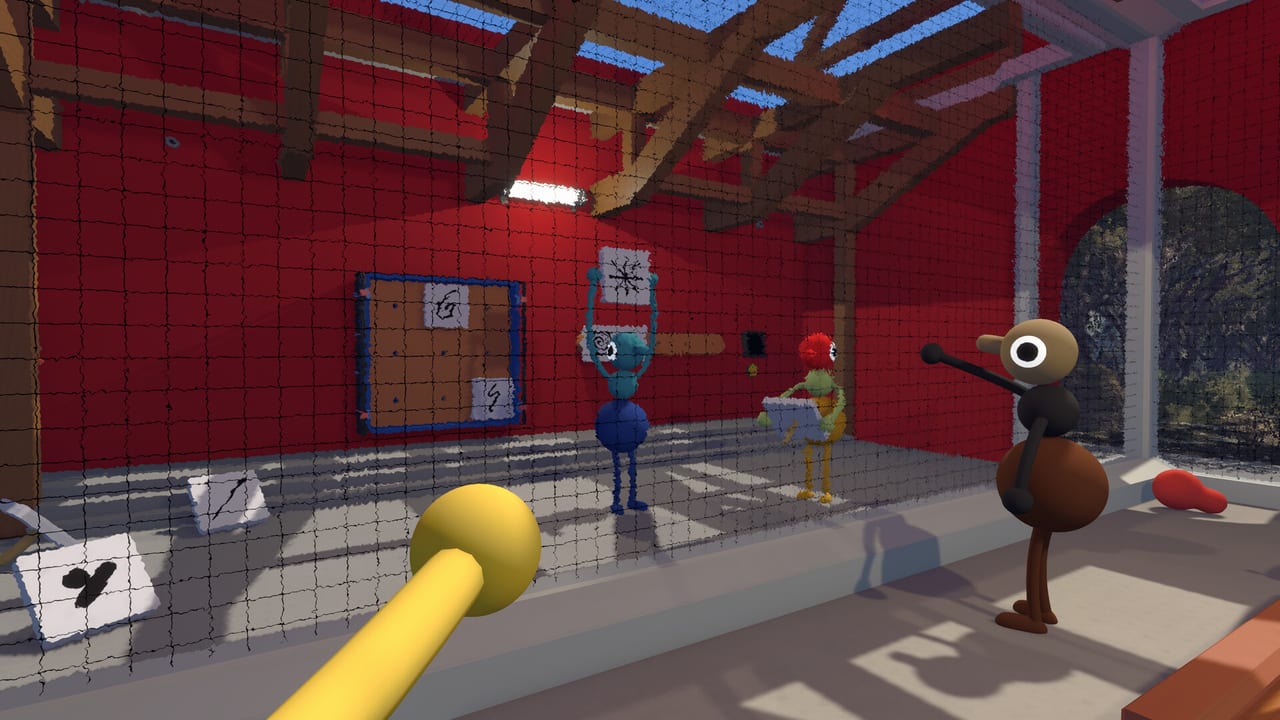
Hosting Big Walk is more responsibility than clicking “create lobby.” The host owns the save file, which means every discovered landmark, unlocked shortcut, and tool cache persists only while that player can launch sessions. Crossplay friends on other platforms depend on Join Codes you generate. Voice chat quality rises and falls with mute discipline you model. This guide walks hosts—from first-time Steam captains to veteran console organizers—through setup, etiquette, and recovery when someone disconnects mid-cliff.
Read Host Saves for progression implications, Crossplay Hub for platform-specific Join Code steps, and Party Prep Planner so your lobby arrives with tools assigned before anyone leaves the Starting Gymnasium.
Why hosting matters in Big Walk
Unlike drop-in shooters where any player can queue solo, Big Walk is a scheduled co-op journey. House House compares session setup to board-game night: gather friends, agree on rules, commit time. Hosting encodes that commitment digitally:
| Host responsibility | Player impact |
|---|---|
| Save ownership | Progress pauses when host is offline |
| Join Code issuance | Crossplay friends enter your world |
| Voice moderation | Chaos or clarity for proximity chat |
| Session pacing | Breaks, regroups, puzzle focus |
Pick hosts who can play consistently across multi-week walks—not merely whoever bought the game first.
Pre-session setup checklist
Complete these steps before inviting anyone:
- Update the game — Match Version 1.0 or latest patch from Updates Hub.
- Test microphone — Big Walk ships noise suppression; verify platform mic permissions on Steam, PS5, or Switch 2.
- Plan loadouts — Run Party Prep Planner for party size.
- Confirm player count — Know whether you are running duo, four-player, or twelve-player dynamics per Party Size Dynamics.
- Share schedule — Host offline later means no continuation; set expectations early.
Platform-specific notes
- Steam: Friends join via Steam friends list or Join Code for crossplay.
- PlayStation 5: PS Plus Essential required for online play; generate codes from in-game lobby menus.
- Nintendo Switch 2: Ensure Nintendo Switch Online where required; controller mic paths vary by headset.
Detailed steps: Crossplay Platforms.
Creating and sharing Join Codes
Crossplay lobbies rely on Join Codes—short codes friends enter manually on other platforms. Same-platform groups may use native friends lists instead, but mixed Steam + PS5 + Switch 2 parties should always keep a code copied in chat.
Best practices:
- Regenerate codes if random players join public lobbies accidentally.
- Paste codes in a secondary channel before launch so late friends are not locked out during cutscenes.
- Tell crossplay players to finish updates first—version mismatch blocks entry silently sometimes.
Never publish active Join Codes on public social media unless you want strangers ringing cowbells in your session.
Voice chat hosting etiquette
House House warns against external Discord because proximity chat is mechanical, not decorative. As host, model good behavior:
- Use in-game voice for puzzle sections.
- Mute when eating or watching videos — Big Walk’s mute button exists; use it.
- Designate radio net control when multiple walkie-talkies chatter—see Walkie-Talkie.
- Pause for accessibility — Subtitles, text chat, and Signaling Tools help players who cannot use mics.
Review Proximity Chat with newcomers before the first split path.
During the session
Pacing breaks
Big Walk includes natural travel downtime. Hosts can:
- Call five-minute bio breaks at flare regroups.
- Rotate puzzle roles in large lobbies so twelve players stay engaged.
- Avoid rushing past tool pickups—communication toys are progression enablers per Tools Hub.
Inventory coordination
When puzzles force item swaps, announce who drops gear and who retrieves it afterward. Host should not hoard every walkie-talkie “because save.” Tools are world objects; saves remember discoveries, not infinite personal pockets.
Conflict resolution
Arguments over megaphones or wrong turns are feature, not bug. Host moderates lightly:
- Vote on path forks after two minutes of debate.
- Fire a flare to regroup rather than letting one player wander an hour.
- Switch hosts only between sessions—mid-session host migration is not supported for save continuity.
Disconnect and crash recovery
Disconnects happen. Host playbook:
- Pause mentally — Big Walk rarely punishes with death; wait for reconnect.
- Reuse the same Join Code if the lobby persists; regenerate if the session closed.
- Backtrack to last regroup flare when a player loses inventory items on a fall.
- Communicate save state — If host crashes, everyone waits until host relaunches; no alternate save takeover.
If host hardware dies for the night, the group cannot continue that journey until the host returns. Plan backup social hosts for next week, not mid-save swaps.
Twelve-player hosting tips
Large lobbies need command structure:
- Co-host handles megaphone announcements while primary host navigates menus.
- Assign puzzle core vs wanderer squads per Party Size Dynamics.
- Stagger voice channels using walkie-talkie sub-nets.
- Cap open mic count—twelve hot mics overwhelm proximity mixing.
Security and privacy
- Do not stream Join Codes publicly mid-session.
- Mute unknown joiners if codes leak.
- Report harassment through platform tools; wiki cannot moderate live lobbies.
Post-session wrap-up
After you quit:
- Confirm next play date while save context is fresh.
- Note tool shortages to fix on next Party Prep Planner pass.
- Watch Updates Hub if patches dropped during play.
Thank players who carried flares—you will forget until someone gets lost next week.
Related guides
- Multiplayer Hub — Co-op overview.
- Host Saves — Progress ownership deep dive.
- Crossplay Hub — Join Code entry.
- Getting Started — Onboarding for new walkers.
Hosting Big Walk is part dungeon master, part park ranger. Own the save, share the code, respect proximity voice, and your group will remember the walk—not the lobby troubleshooting.
Frequently Asked Questions
Quick answers to the most common Big Walk questions.
Who should host Big Walk sessions?
Pick a player with a stable connection who can attend most scheduled walks. Their save file stores all progress.
How do crossplay friends join my lobby?
Share a Join Code from the in-game lobby. Same-platform friends may also use platform friends lists.
Can we change hosts mid-journey?
Not without losing save continuity. Progress stays on the original host's file until you start a new journey with a different host.
What should hosts do when someone disconnects?
Wait for reconnect, reuse the Join Code if the lobby remains, and regroup with flares if inventory was lost.
Should hosts force Discord during puzzles?
House House discourages external voice. Hosts should model in-game proximity chat and tool-based coordination instead.
Where do I plan tools before hosting?
Use the Party Prep Planner at /tools/party-planner/ and read Walkie-Talkie guide for radio etiquette.