Big Walk Controls & Input
Movement, grabbing, and independent arms — master inputs before proximity chat fails you mid-puzzle.
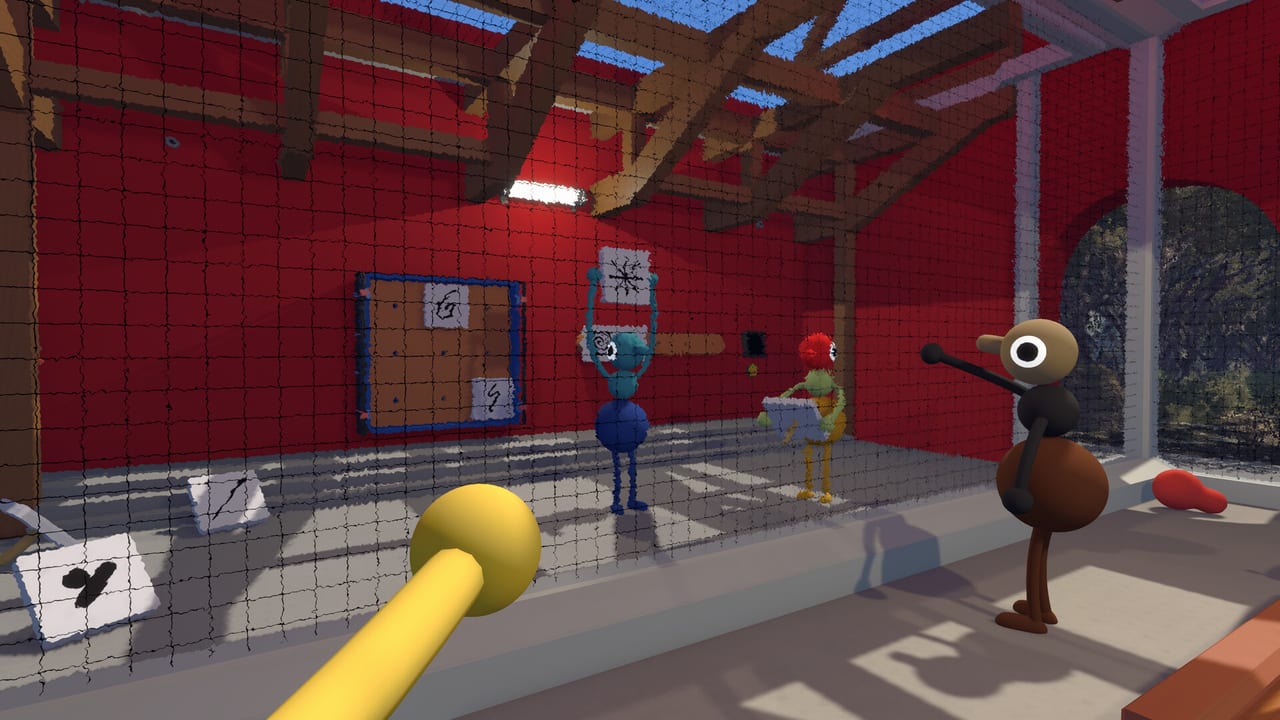
Big Walk looks like a gentle island stroll until your group splits across a valley and proximity voice cuts out. Then controls become communication: pointing with an independent left arm, waving down a teammate on a ridge, or holding a button while someone else runs a relay puzzle. House House designed movement to feel playful in the tutorial showroom — run, jump, crouch, sit, grab, throw — but the standout system is per-arm input on every platform.
This hub links platform-specific references so your whole crossplay party speaks the same physical language before session one. Read the page that matches your hardware, then skim Gestures & Arms together as a group.
Why controls matter in co-op
There is no ping wheel and no overhead marker compass. When voice muffles through a wall or fades beyond range, teammates rely on sight lines and body language. Independent arm buttons let you point at a distant landmark, raise both hands for “stop,” or flail deliberately to catch attention — the PS Blog hands-on compared it to natural in-person conversation.
Grabbing is equally important. You lift objects, press switches, carry tools, and carry each other. Backpack access requires a buddy to help in some situations, reinforcing that you are never a solo hero. Botched inputs during a timed hold or cooperative lift waste more time than getting lost on the island.
Finish the in-game tutorial before joining a Join Code session. It teaches physics, seating, and arm basics in a safe showroom. Skipping it frustrates hosts when a guest cannot grab a ledge or hold a door button.
Platform pages in this hub
PC Controls (Steam) — Keyboard and mouse defaults, controller support on Steam, rebinding, and push-to-talk considerations for proximity voice on Windows and macOS.
Console Controls (PS5 & Switch 2) — DualSense and Switch 2 gamepad layouts, including the L2/R2 and L1/R1 arm scheme highlighted in PlayStation’s preview coverage.
Gestures & Arms — Cross-platform gesture vocabulary: pointing, waving, two-hand signals, and when to use arms instead of walkie-talkies.
Crossplay groups should pick one “gesture captain” who calls out standard signals during the first hour so PS5 and PC players do not interpret the same flail differently.
Shared actions across platforms
Regardless of device, expect these interaction families:
Locomotion: Walk, run, jump, crouch, and sit. Sitting is not cosmetic — groups use it to wait at overlooks, watch sunsets, or stay put while a scout checks a path.
Manipulation: Pick up, carry, throw, and press world buttons. Many puzzles require one player to hold while others traverse.
Arms: Separate raise and point controls for left and right arms. Combinations create pointing, waving, surrender poses, and chaotic attention grabs.
Tools: Items live in hands, belt, or backpack slots with limited inventory. Switching tools quickly matters when you need binoculars after flares.
Voice: Proximity chat uses platform mics by default. Audio settings live in-game; pair with Online Requirements for hardware tips.
Rebinding and accessibility
Big Walk supports control remapping on all platforms according to pre-launch previews and Steam listing notes. Console players can also use system-level accessibility remaps (PlayStation Access controller support, Nintendo button remapping) if defaults strain your hands during long sessions.
PC players should remap push-to-talk to a key reachable while holding grab. Console players with limited reach might swap shoulder triggers if the game allows per-action rebind — test in the tutorial before committing muscle memory to a twelve-hour weekend.
Controller vs keyboard on PC
Steam supports both. Some PC players prefer controller parity with console friends so gesture muscle memory matches during crossplay. Others prefer mouse for camera precision on navigation puzzles. Either is valid; inconsistency within one group only matters when you try to describe inputs verbally — “press R2” means nothing to a keyboard player unless you translate.
Agree on callout vocabulary: “left point,” “both arms up,” “grab interact” instead of raw button names when platforms mix.
Session-zero drill (ten minutes)
Gather in the tutorial or starting map room after joining the host. Each player runs through: jump a gap, crouch under a barrier, grab and throw a ball, raise each arm independently, point forward with each arm, sit and stand, and swap a tool from hand to belt. Then spread out until proximity voice fades and practice silent regroup using only gestures.
That drill prevents eighty percent of early “what button is that?” confusion when the island opens up. Link Map Hub afterward so navigation vocabulary matches control vocabulary.
Common mistakes
Holding the wrong grab button while a timer puzzle ticks down.
Raising only one arm when teammates interpret a two-hand wave as “come here.”
Rebinding mid-campaign without telling the group, breaking verbal callouts.
Using keyboard on PC without headphones, breaking proximity voice for everyone.
Ignoring backpack co-op rules and wandering off with the only map in a pouch someone else must open for you.
Related wiki pages
Connect online: Join Codes Hub and Multiplayer Hub. Navigate once you can move: Map Hub and Landmarks & Getting Unlost. Communication tools beyond arms: Tools when that section is live on your wiki build.
Frequently Asked Questions
Quick answers to the most common Big Walk questions.
Can I rebind controls in Big Walk?
Yes on PC and consoles according to launch materials. Use in-game remapping first, then platform accessibility settings if needed.
Should PC players use controller or keyboard?
Either works on Steam. Controller matches console friends for arm gestures; keyboard and mouse offer precise camera control. Pick one before the tutorial.
Do Switch 2 and PS5 use the same arm buttons?
The scheme mirrors PlayStation's L2/R2 raise and L1/R1 point layout on DualSense. Switch 2 uses the equivalent shoulder and trigger buttons — see Console Controls for details.
Why do I need to finish the tutorial?
It teaches grab physics, sitting, and independent arms in a controlled space. Hosts expect guests to complete it before crossplay exploration.
Are gestures required for puzzles?
Not every puzzle mandates them, but many split-up moments assume non-verbal pointing when proximity chat fails. Gestures fill that gap.